


Solve organizational bottlenecks with our built-in calendar feature
Keeping track of classes, workshops, and special events for hundreds of members without any specialized software is exhausting. With our software, you create and manage your class schedule from a single dashboard - define class types, instructors, locations, capacity limits, and recurring time slots. Any updates you make are reflected in real time, so members always see the latest schedule without staff needing to notify them manually.
Get started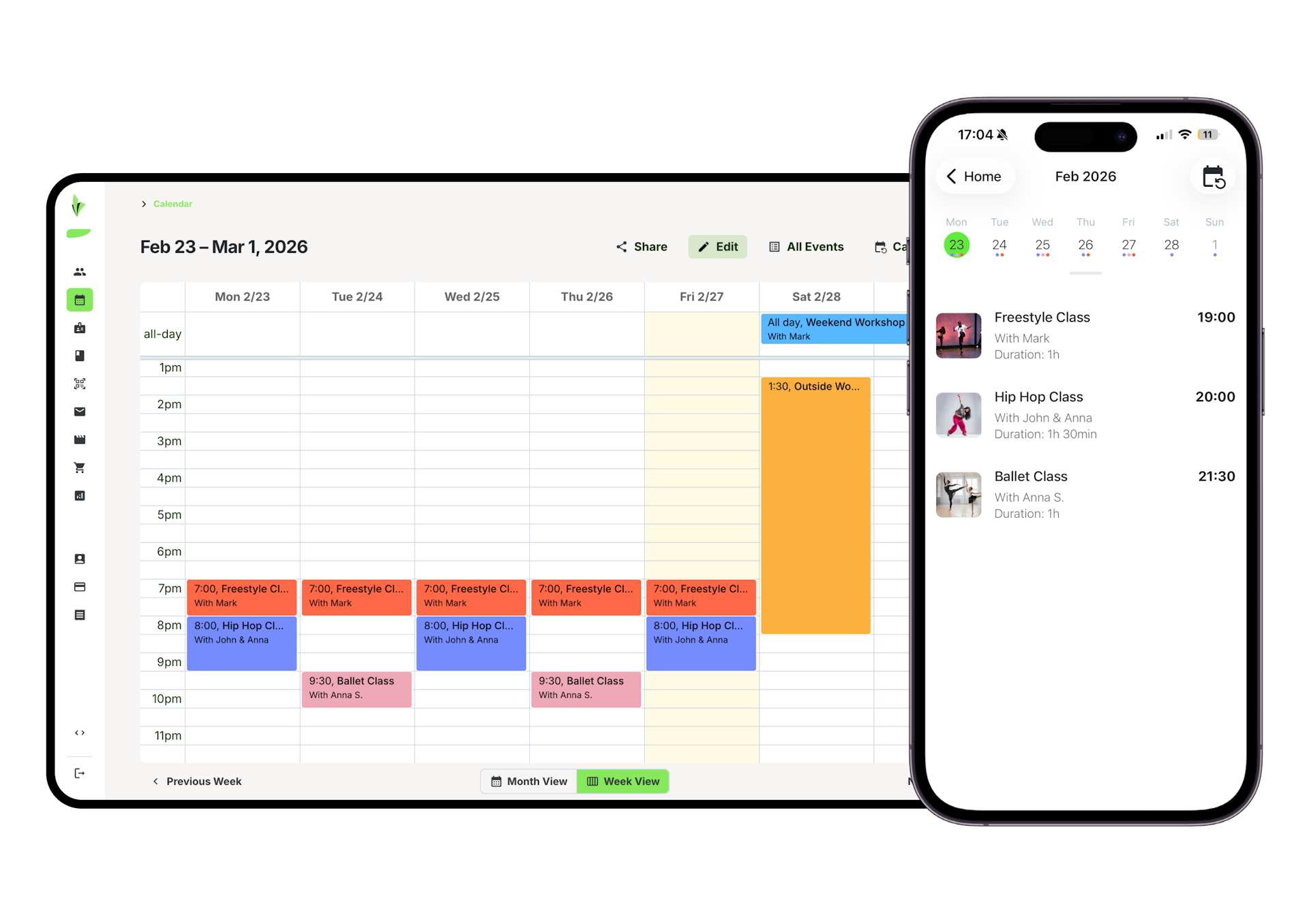
Start scheduling smarter
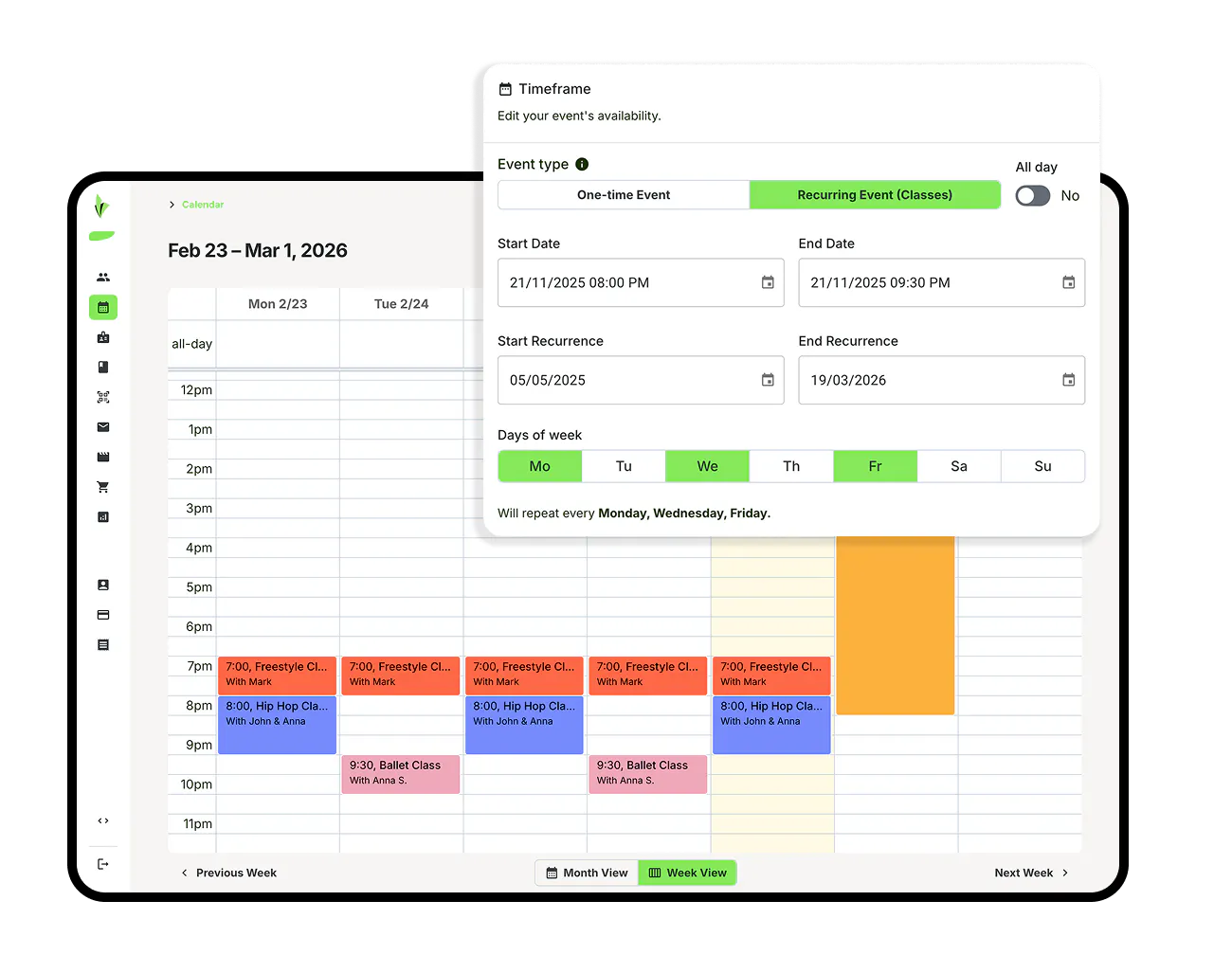
Visual calendar scheduling inside the dashboard
Manage your entire class and event schedule from a flexible, visual calendar in the admin dashboard. Create any type of event—from hourly classes to multi-day or multi-week programs—and set them as one-time or recurring on specific days. Your calendar adapts to how your studio actually operates.
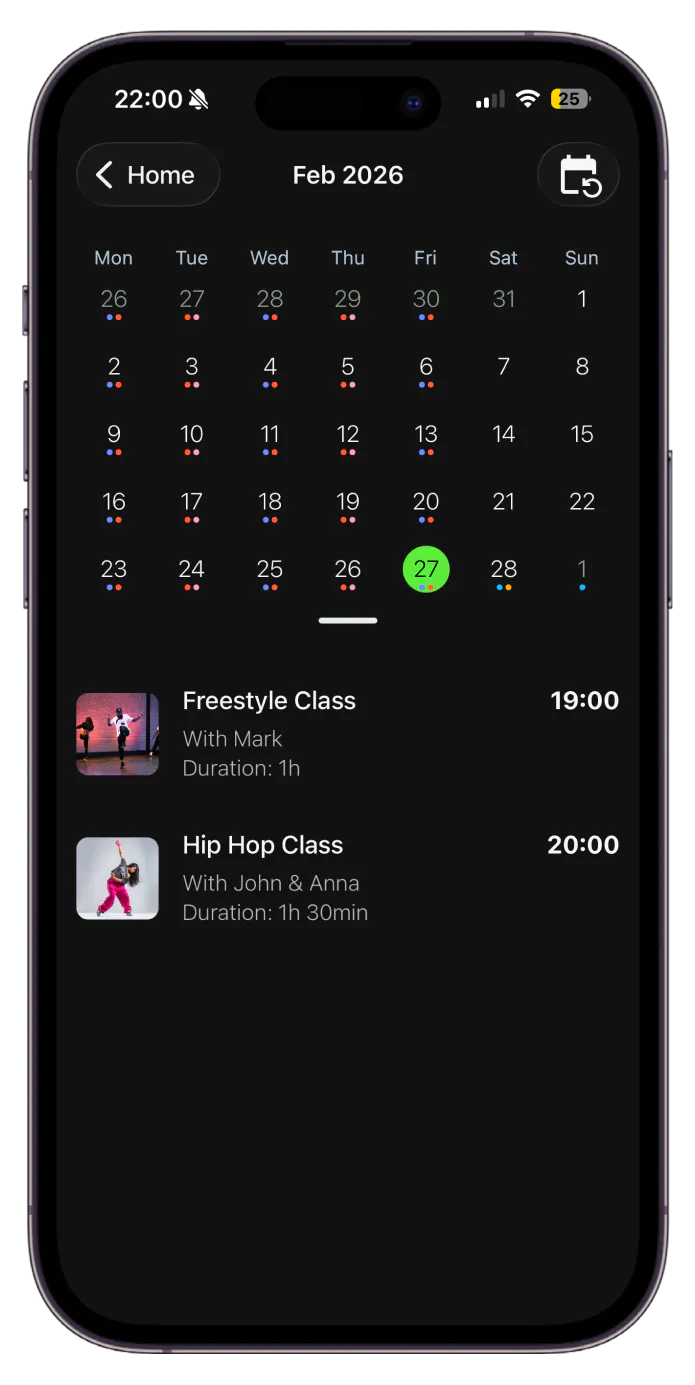
Automatically synced with the mobile app
Once published, your schedule is instantly synchronized with the member mobile app. Members can view the latest schedule in real time, book available classes, or start a class tuition anytime.
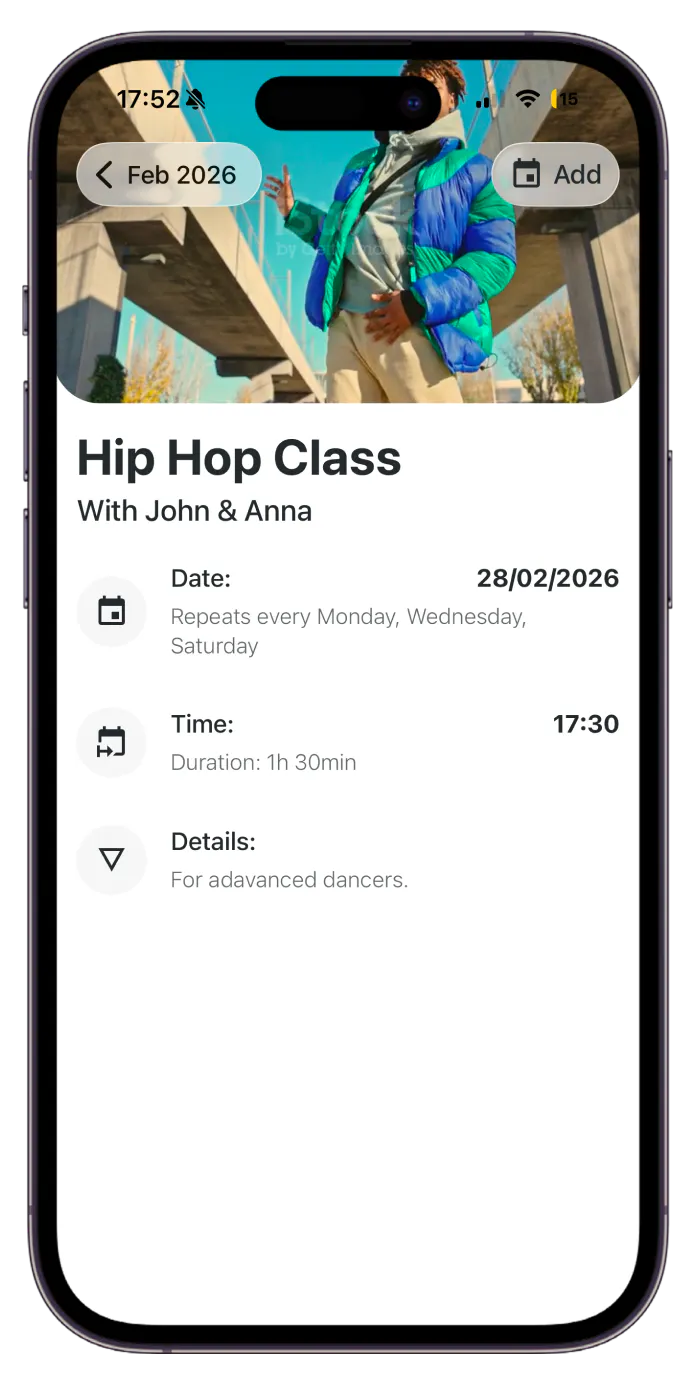
Customize every class or event with rich details
Add class descriptions, assign instructors, display instructor photos, and include presentation or promo videos for clear visibility at a glance.
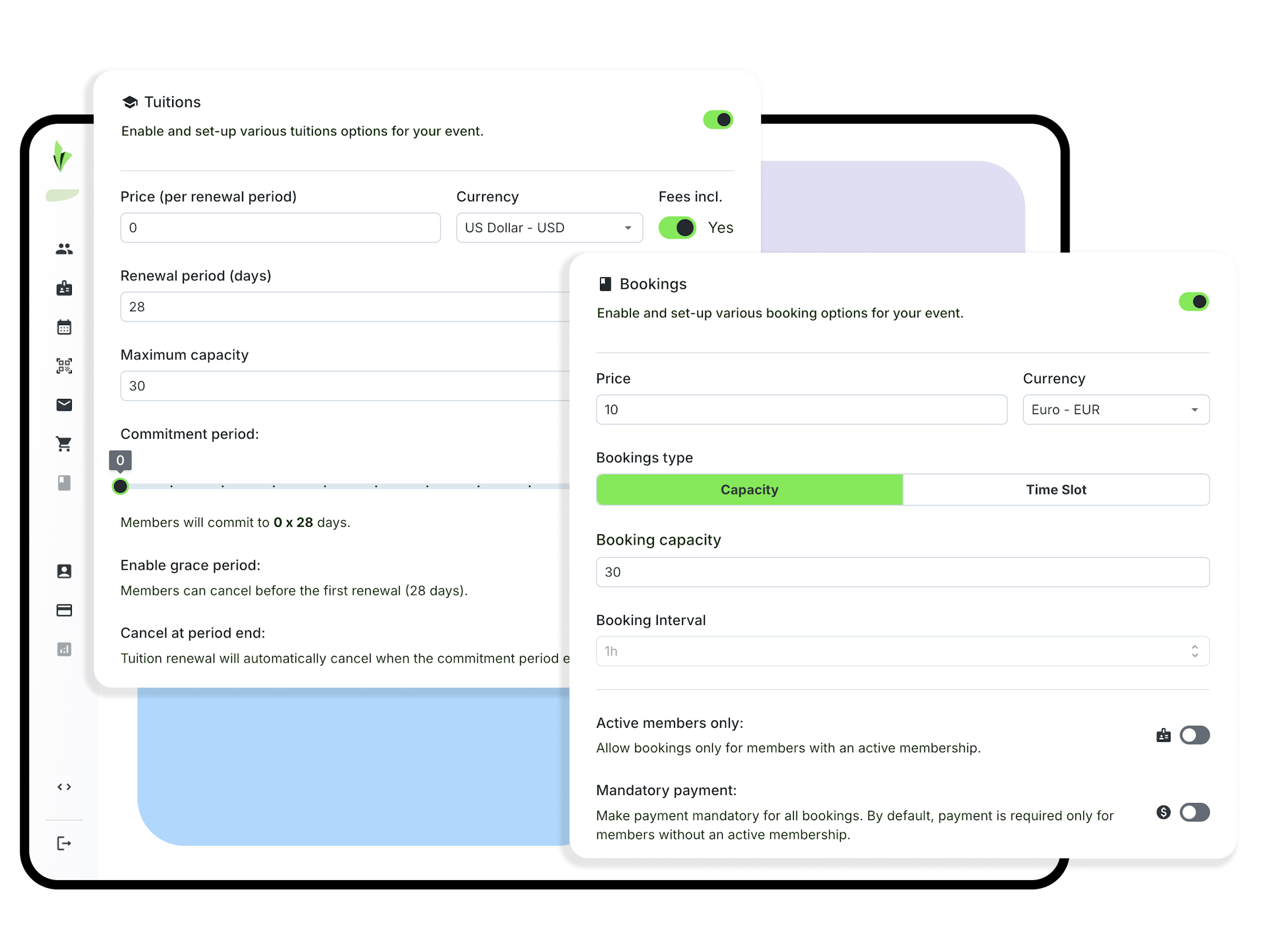
Flexible booking and tuition configuration
Decide how each class can be accessed. Enable bookings by setting class capacity, booking prices, or restricting access to specific memberships. For longer programs, turn events into class tuition with flexible recurring payment options, fully connected to your payment setup.
Manage multiple locations, rooms, and programs effortlessly
Create separate calendars for different locations, rooms, or class types—all from the same dashboard and at no extra cost. Keep your schedule organized, switch between calendars instantly, and ensure everything stays perfectly synced with the member mobile app.
Get started
Connected to the rest of your platform
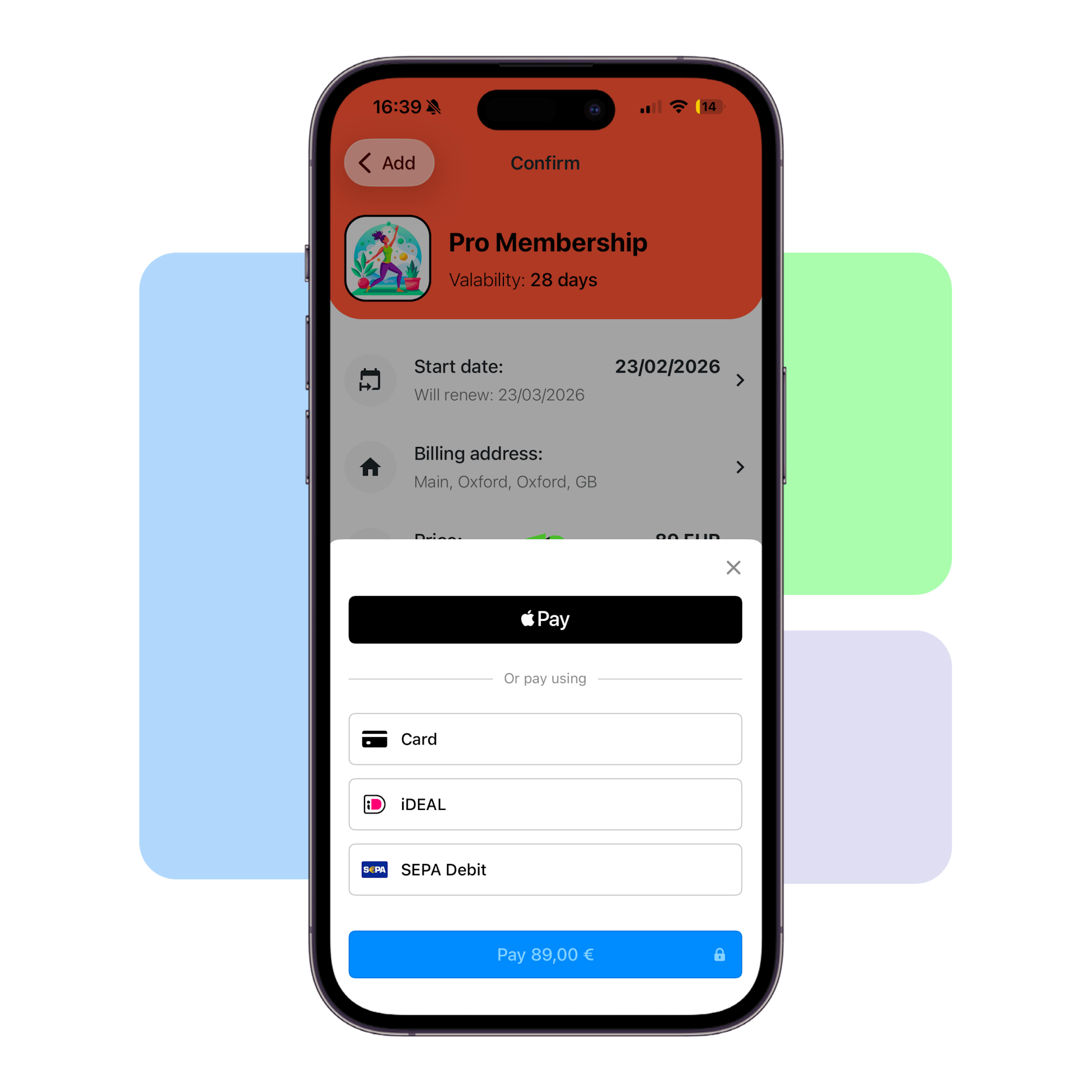
Payments & Billing
Collect one-time or recurring payments, manage memberships, and tuition for all your classes and events.
Check Payments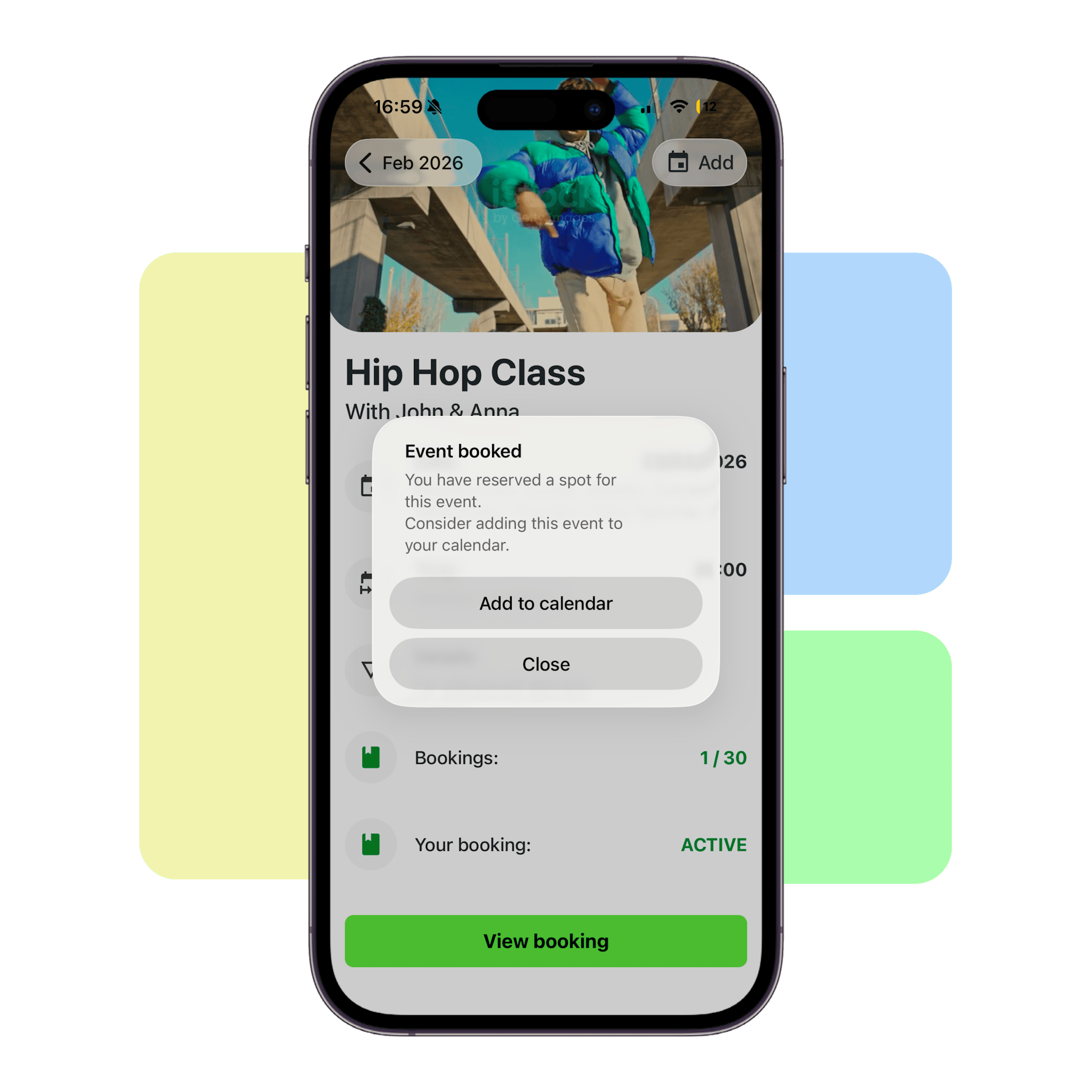
Booking & Waitlists
Offer seamless class bookings and drop-ins with real-time schedules, online reservations, and instant confirmations.
Check Bookings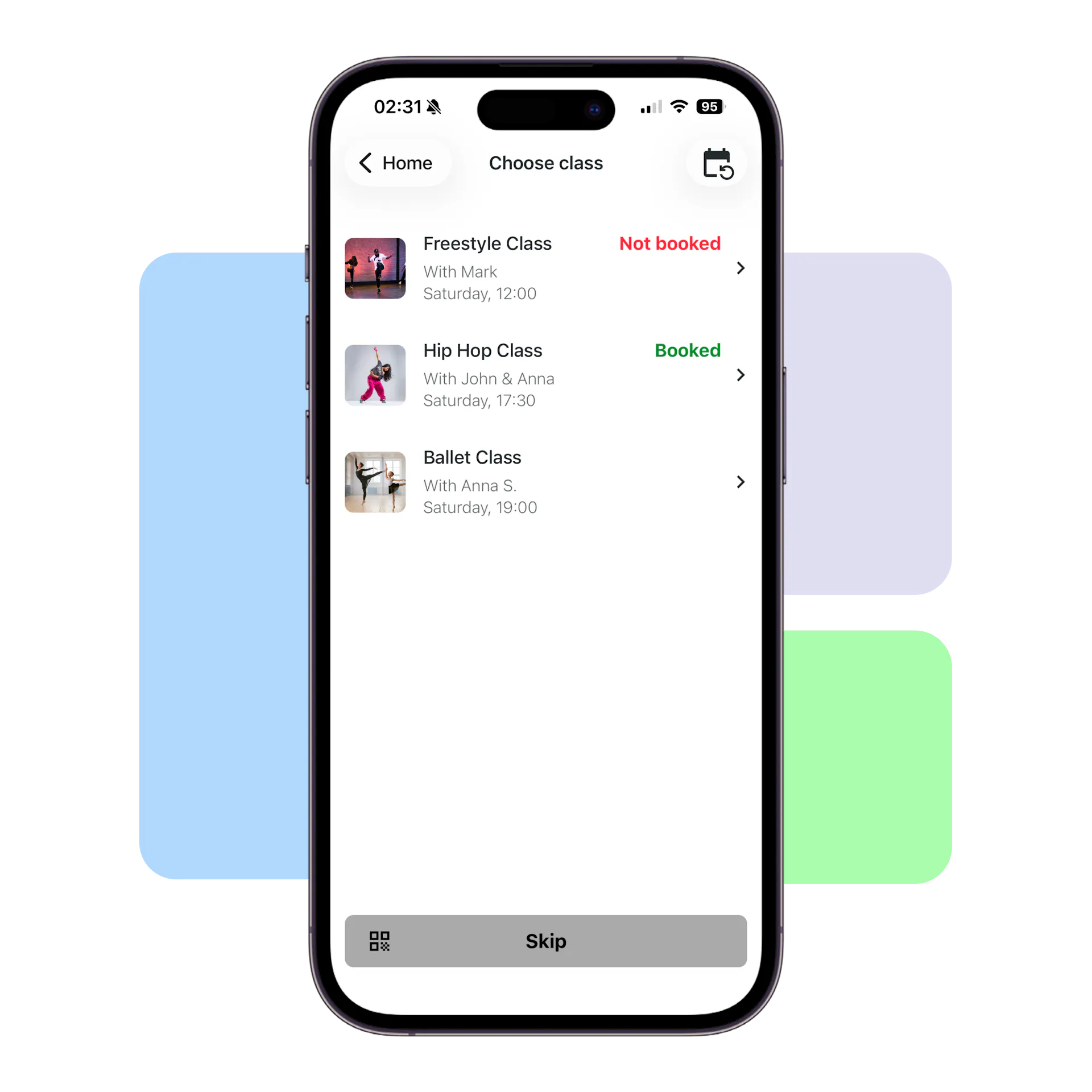
Check-Ins & Reports
Enable members to check in daily while automatically tracking attendance and validating memberships or class access in real time.
Check Check-In
With Stepsy we have considerably reduced admin work and boosted staff productivity by eliminating phone calls and inquiries. Think of Stepsy as our wellness business’ virtual front desk. It’s our most productive employee!
Frequently asked questions
Can I create classes that repeat on certain days?
Yes! You can schedule recurring classes or multi-day events, choosing the exact days and times that fit your studio’s routine. Weekly, biweekly, or custom patterns are all supported.
Can I manage multiple locations or rooms?
Absolutely. Our platform allows multiple calendars, so you can organize classes by location, room, or program—all from a single dashboard and at no extra cost.
How easy is it to update my schedule?
Extremely easy. Drag and drop events directly on the calendar to move, resize, or adjust times in seconds. No complex menus or delays—changes sync instantly.
Can I customize class details?
Yes! Each class can include detailed descriptions, instructor photos, presentation or promo videos, and color-coded calendar labels for easy organization.
How do bookings and payments integrate with my schedule?
You can enable bookings for any class, set capacities, pricing, or membership restrictions, and even configure recurring class tuition. All scheduling settings are fully integrated with your payment setup so that members can book and pay instantly.
Will the schedule be visible to members?
Yes. Once events are configured in the admin dashboard, they sync automatically to the member mobile app. Members can check availability, book classes, or start tuition anytime—without staff involvement.
Can I handle special events or workshops?
Definitely. You can create one-off events or workshops alongside regular classes, assign instructors, rooms, and capacity, and display them seamlessly in the member app.
Take control of your class schedule
Stop juggling spreadsheets, messages, and last-minute changes. Create a free account and see how our membership management platform streamlines your club activities with its intuitive and convenient class scheduling.
Create an account for free
Create an account for free and choose your unique 6-letter business slug.
Start your journey with Stepsy
From onboarding members to daily check-ins, our dedicated team will help you get set up seamlessly.
Choose your favorite plan
At any time, choose one of the many available plans that best suit your needs.